
Environmental intelligence platform - built for apparel and footwear brands, and their suppliers.


We’re excited to show a new Projects section that gives sustainability teams a clear overview of which data needs to be collected, organized by project, sorted in clear timelines. Alongside that, we’ve added a searchable emissions factor library and decomposition analysis in Copilot.
Here’s what’s new:
• Project-based data import – data collection organized by project type, with guided data parameter checklists and project timelines
• AI decomposition analysis – a waterfall chart in Copilot that decomposes footprint changes into emission factor updates, quantity shifts, and volume effects
• Emissions factor library – a searchable catalog of every emission factor in Carbonfact’s library, applicable to your products, with audit-grade methodology details
Data collection, organized by project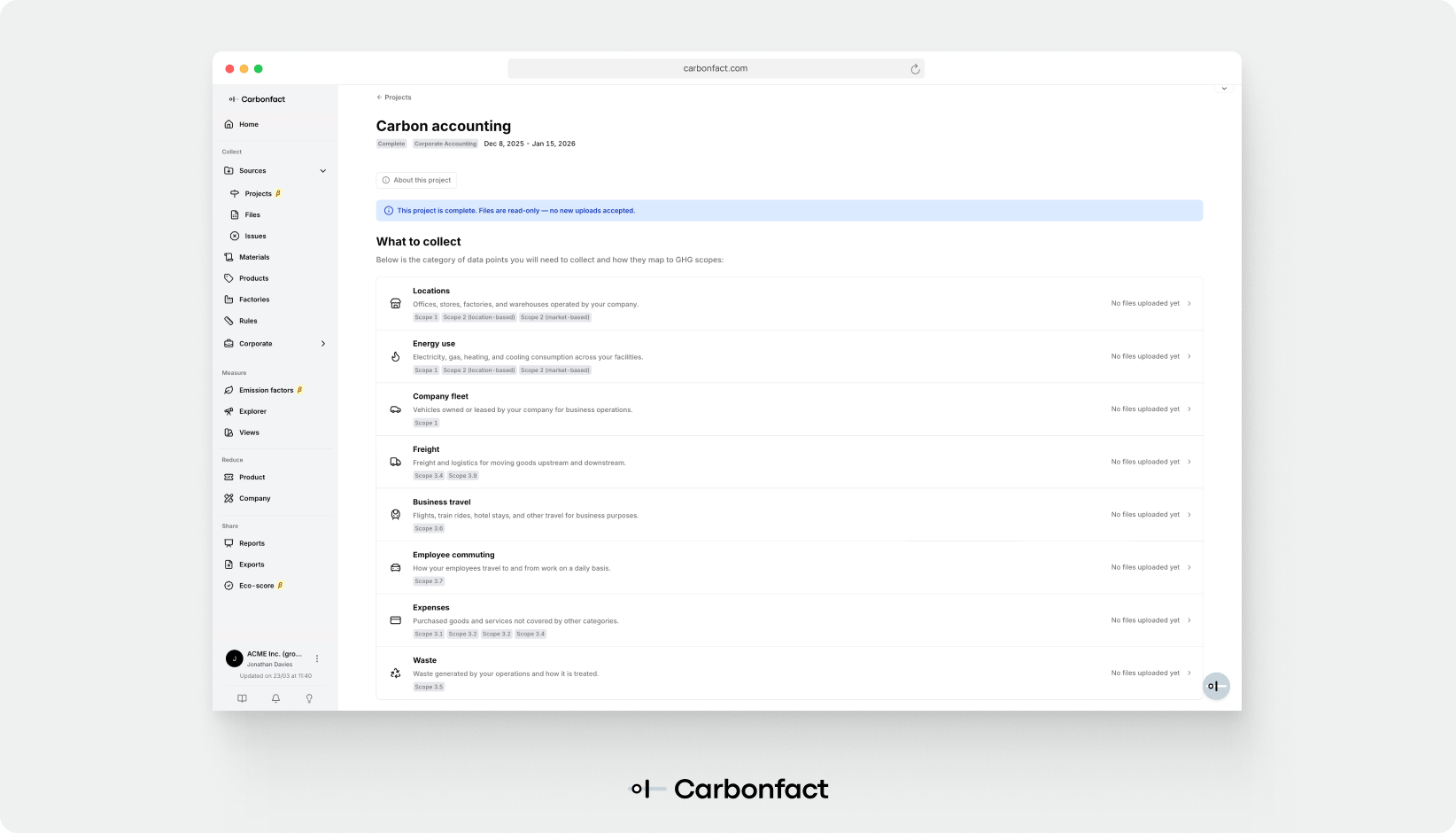
When a brand starts a new year of carbon accounting or an LCA project, their data collection spans dozens of categories – purchase orders, transport records, energy bills, bill of materials. The new Projects section organizes all of that work around the projects your team is actually running. When you open a project, you’ll see a checklist of required data categories – making it immediately clear where to focus.
Uploading data is now a direct workflow within the platform. Each category has a field schema with required and optional columns and a Copilot sidebar with a few frequently-occurring questions teams typically ask when preparing a file. You can upload the raw data without worrying about strict template matches – our system will do the cleaning for you. The goal is for a brand’s sustainability team to be able to run their own data collection from start to finish, with clear guidance at each step and fast feedback when something needs fixing.
Understand what’s driving a footprint change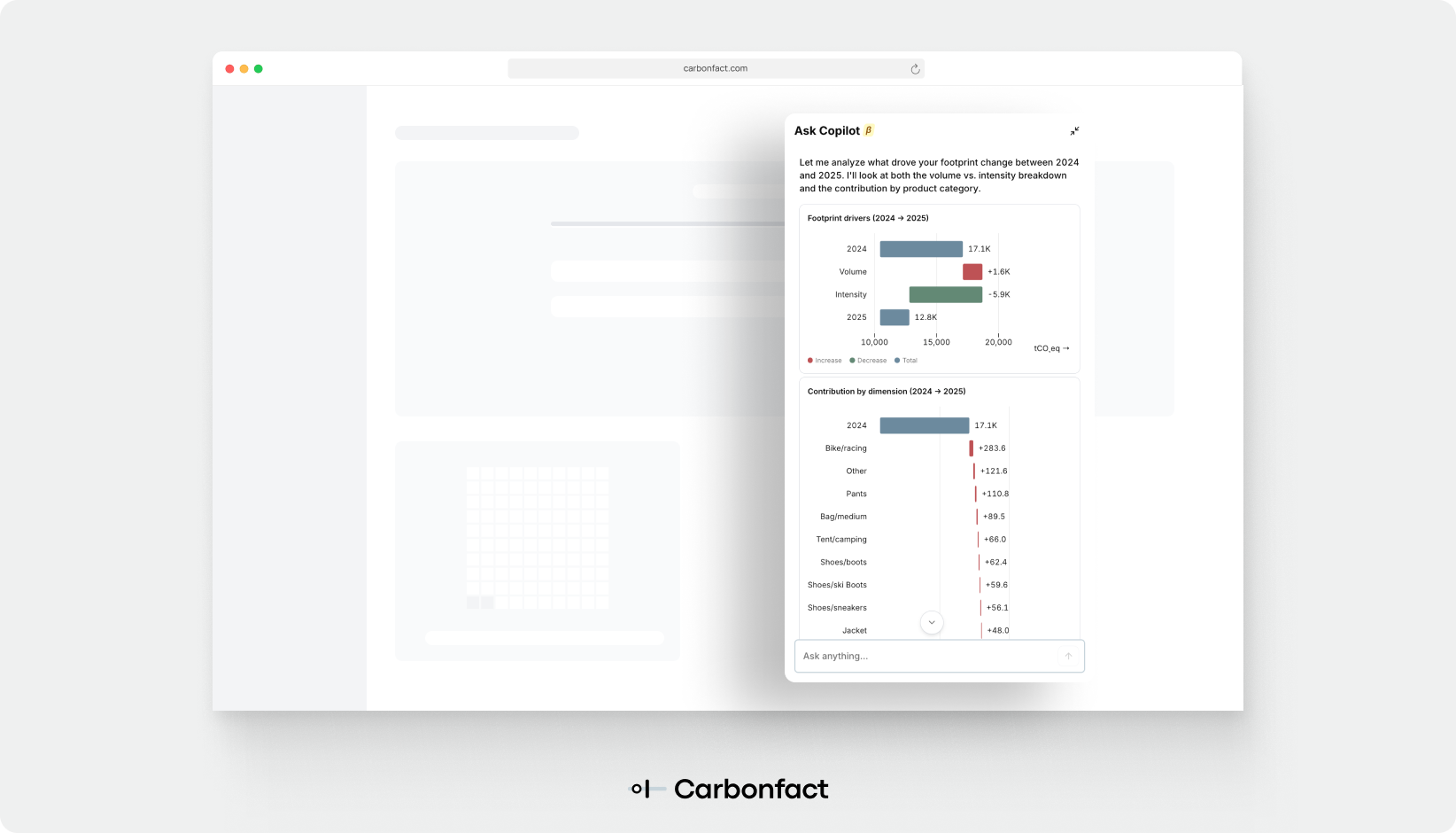
A product’s footprint changes between years for multiple reasons: an emissions factor was updated, a material quantity shifted, production volume changed. A jacket that went from 12.4 kgCO2e to 10.8 kgCO2e could reflect any combination of these. Copilot now surfaces a decomposition analysis – a waterfall chart that decomposes change, with each bar labelled and sized proportionally to its decomposition, so you can see at a glance whether an improvement came from a Science update or an operational change in the supply chain.
Your emissions factor library, made searchable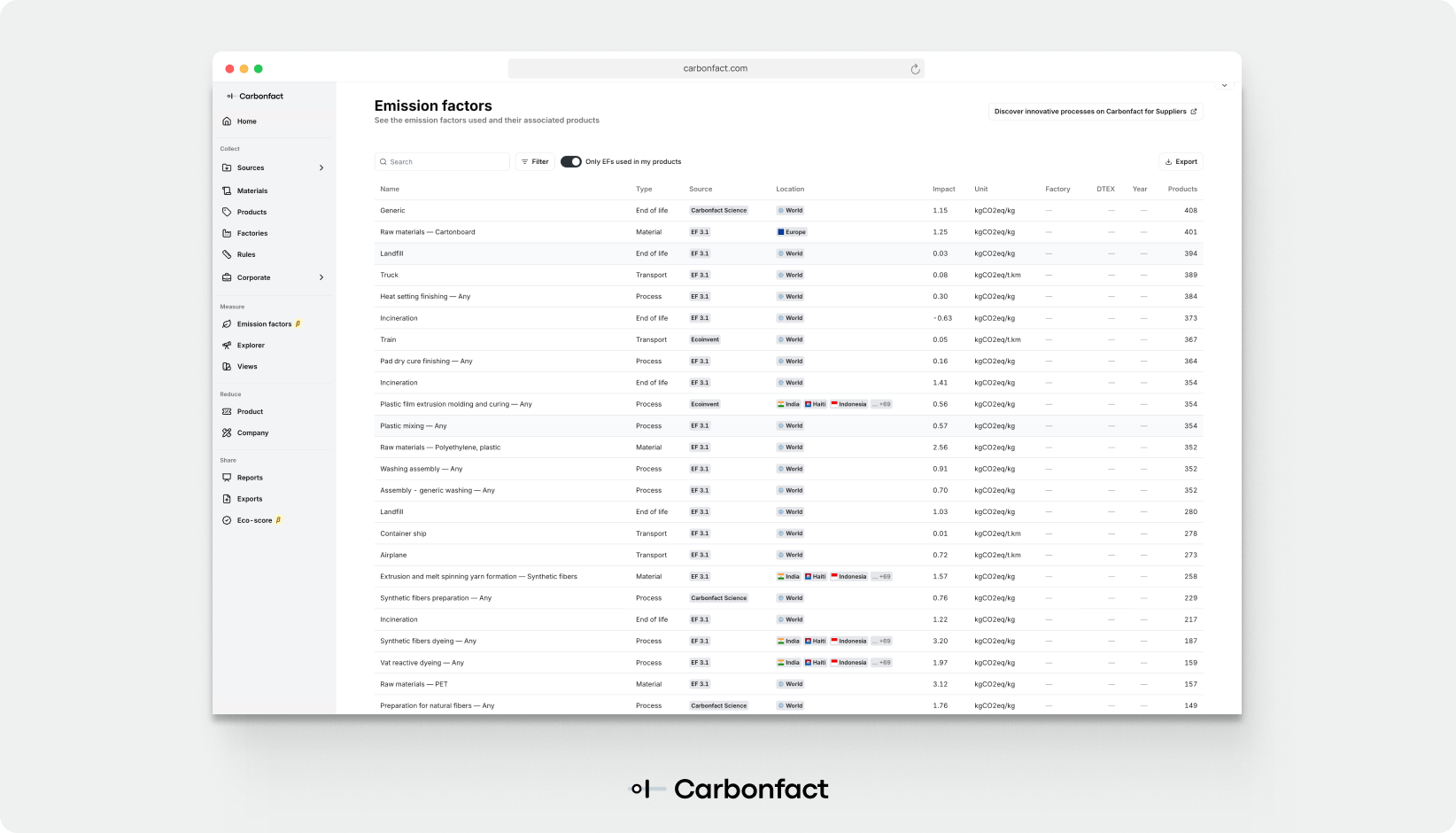
The new Emission Factors page gives you a searchable view of every factor in the library. Each emission factor can be clicked on to dive deeper into the metadata, its impact broken down by PEF indicator, and which products the emission factor appears in within your product catalogue. It’s another way to explore your data, this time using the emission factors you’re familiar with as a starting point.
Sustainability teams spend a significant amount of time on data collection logistics – chasing files, checking formats, routing questions. The Projects section is designed to change that: when data collection is organized around projects with clear checklists and immediate validation feedback, teams can run it themselves.
The emissions factor library and decomposition analysis extend that self-sufficiency into methodology and reporting – questions that used to require a data analyst or a support ticket can now be answered directly in the platform. This helps sustainability teams move faster and depend less on intermediaries to get from data to insight.


Environmental intelligence platform - built for apparel and footwear brands, and their suppliers.