
Environmental intelligence platform - built for apparel and footwear brands, and their suppliers.


This blog post is part of our monthly platform update series – a snapshot of how Carbonfact's platform evolves over time. Features and visuals may have changed since publication. Curious what the platform looks like today? Reach out to our team.
Brands need flexible ways to monitor progress on their sustainability goals, track KPIs, and share relevant insights with internal teams. While our Explorer has always offered detailed analysis, feedback showed that jumping between different views made it harder to keep track of recurring priorities.
Our new Saved Views feature bridges this gap by allowing you to save and revisit the analyses that matter most to your organization – functioning as your most important environmental data dashboards.
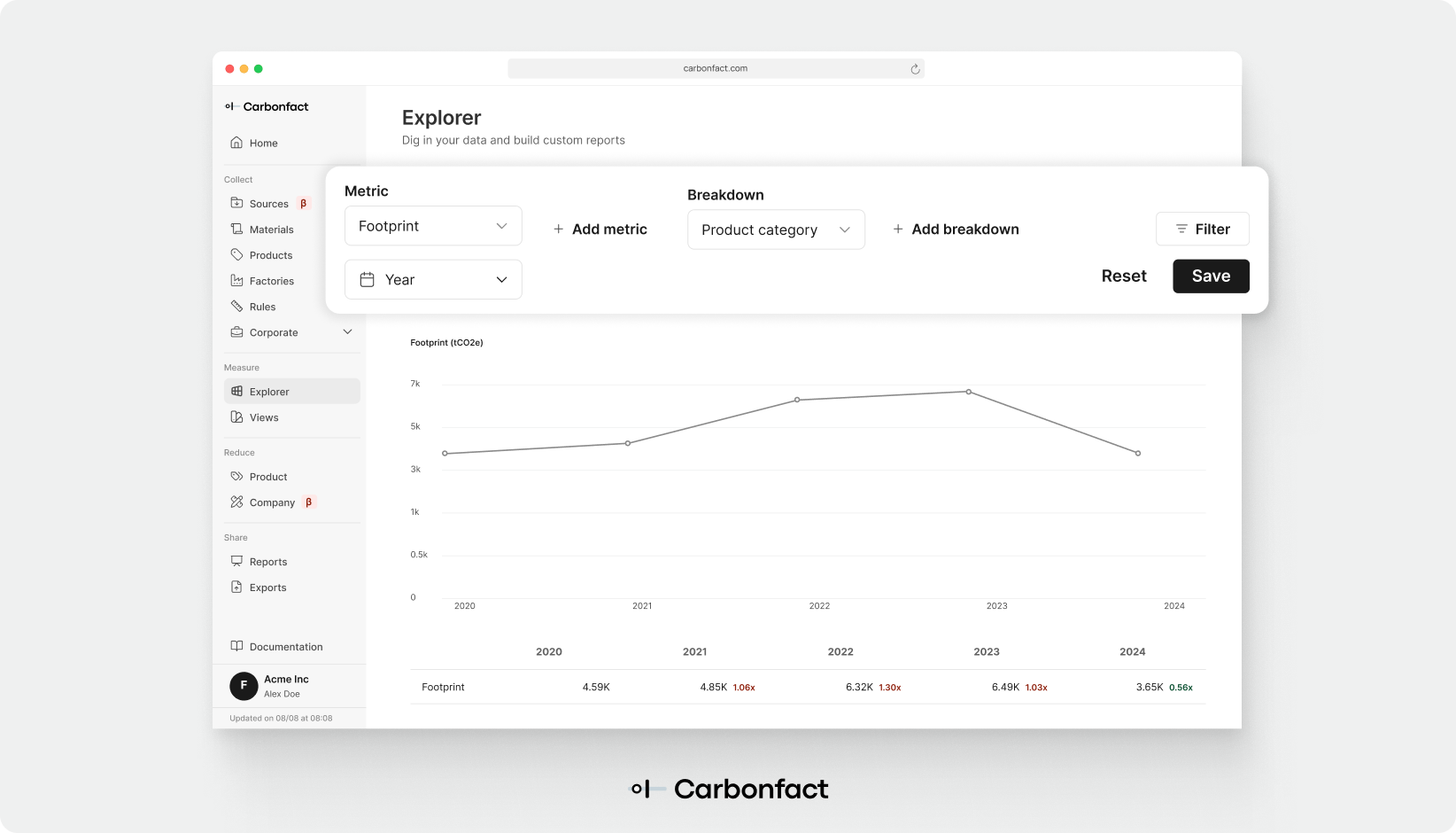
With this update, you can now:
Save any Explorer view: Once you’ve built a custom view with the filters and metrics you need, simply save it for later.
Access all saved views in one place: Manage and organize your saved dashboards from the new /views page.
Collaborate across teams: Saved Views are shared within your company account, so colleagues can access the same dashboards without duplicating work.
Customize dashboards to your priorities: Whether it’s footprint per material, footprint per unit, or progress toward reduction targets, you can create the dashboards that best support your goals. For example, you can set up a dashboard to monitor emissions from specific materials or processes tied to your SBTi scope 3 targets.
This release gives sustainability teams more control over how they track and communicate progress. By saving and reusing the Explorer configurations most relevant to you, Dashboarding reduces repetitive setup work, increases consistency across teams, and helps decision-makers focus on the metrics that matter.


Environmental intelligence platform - built for apparel and footwear brands, and their suppliers.